AlfaOBD
- 3.5
- Rating
- 100.00K
- Installs
- $49.00
- Price

 Analysis by App-foxy
When I look at AlfaOBD, I see a specialist tool rather than a casual car app. It belongs to the Auto & Vehicles category and is made by AlfaOBD Autodiag for native diagnostics on Fiat Group cars. I would not recommend it to someone who simply wants a dashboard widget or a generic trip log. I would recommend it to an owner, enthusiast, or technician who wants to use a phone as part of a more hands-on diagnostic workflow.
My first impression is that the app asks more from the user than the average automotive download. The price is $49.00, so this is not an impulse purchase for occasional curiosity. Its value depends on whether you actually work with compatible vehicles and are prepared to understand diagnostic terminology, connect the correct hardware, and interpret what the car is reporting. In the right hands, that focus is its main strength. In the wrong hands, it can feel like an expensive screen full of information without enough context.
How connectivity changes the diagnostic experience
I find that the connection setup is part of the diagnosis, not just a preliminary chore: a steady phone-to-interface link helps me judge whether an unexpected reading belongs to the vehicle or to the session itself. I would keep notes on the setup and change one thing at a time when troubleshooting, so the next section can look at how those handoffs affect the work beside the car.
You May Also Like

 Google Keep - Notes and lists
Google Keep’s Quiet Growth Shows the Appeal of Simpler Notes
As mobile work gets busier, Google Keep keeps winning a simple contest: capture a thought quickly, find it later, and get on with the day.

 Blood Strike: 2.5 Anniversary
Blood Strike’s Loadouts Turn Every Drop Into a Tactical Gamble
A close look at Blood Strike’s custom loadouts: how fast access to signature weapons reshapes its battle royale rhythm, rewards preparation, and narrows the gap between fights.

 Pandora - Music & Podcasts
Pandora’s Music Is Easy to Start, but Harder to Recover
Pandora’s strength is its low-effort path from a seed to a station. Its weak spot is how much confidence it asks you to place in connection, setup, and quiet recovery.

 8 Ball Pool
 Is Built on Rivalries, Rematches, and Routine
A close look at the rivalries, rematches, shared routines, and unanswered safety questions that turn a quick pool match into a persistent mobile community.

 Samsung Music
’s Quiet Strength Is Playing What You Already Own
Its reach comes less from spectacle than from dependable access to a personal library. That simplicity is both the app’s strongest retention engine and its ceiling.

 AccuWeather: Weather Radar
AccuWeather Review: A Quick, Clear Forecast for Everyday Decisions
For everyday plans, the best forecast is the one you can understand quickly. AccuWeather makes rain timing, radar, and local conditions easy to act on, with a few trade-offs.
More From Our News Desk



Network-dependent moments are only one part of the job
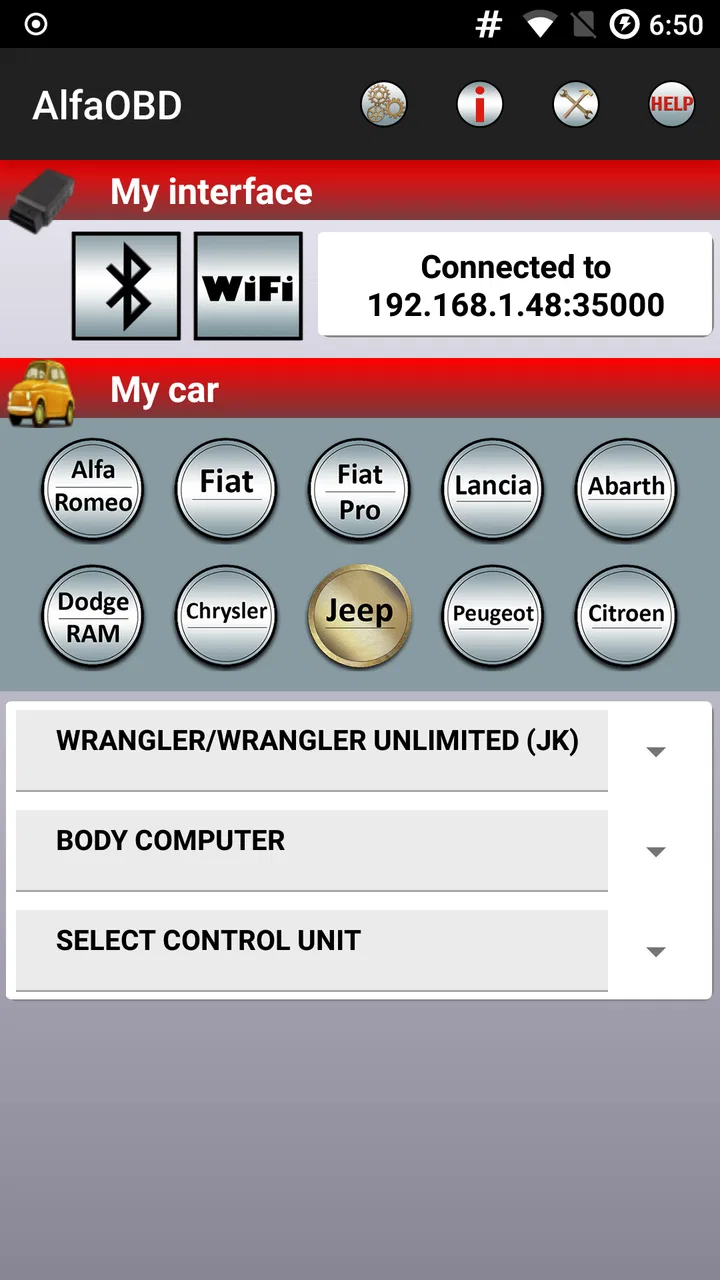
It is easy to assume that a phone-based diagnostic app is mainly about having a network connection. In practice, the more important connection is often the one between the phone, the interface, and the vehicle. AlfaOBD sits inside that chain. A weak or interrupted link at any point can turn a simple reading into a confusing session, especially when the user is working beside a car rather than at a desk.
That makes preparation more important than it may be with a typical consumer app. I would begin by checking that the phone has enough charge, the vehicle is safely parked, and the diagnostic interface is properly connected before opening a live session. I would also avoid treating a brief successful connection as proof that every later operation will be safe. Reading information and changing vehicle settings are not the same kind of task, and the second deserves more patience.
The app’s native focus on Fiat Group cars is useful here because it gives the experience a clear purpose. A generic scanner may offer broad coverage but leave the user with a shallow view of manufacturer-specific systems. AlfaOBD is aimed at people who want to investigate the car more deeply within its intended family of vehicles. That specialization is a trade-off: it can be more relevant for the right owner, while being the wrong purchase for someone with a vehicle outside that scope.
I would not plan a diagnostic session around an unreliable mobile connection. If the app needs to communicate with an external service, obtain information, or complete a store-related action, interruptions could become inconvenient. The sensible approach is to prepare before standing beside the vehicle: install the current release, understand the connection method being used, and avoid beginning a time-sensitive repair with a phone that is already struggling to stay connected.
A phone is convenient, but the setting matters
The mobile format is AlfaOBD’s biggest practical advantage. I can imagine using it in a driveway, a garage, or beside a car that has just developed a warning light. A phone is easier to carry than a laptop, and it lets the user stay near the vehicle while checking information. That is especially useful when a reading needs to be compared with a sound, a dashboard message, or something visible under the bonnet.
There is also a downside to using a small screen for technical work. A phone encourages quick taps, and quick taps are exactly what I would avoid during a diagnostic session. Menus, values, and warnings deserve a deliberate pace. Bright sunlight, gloves, rain, and a cramped working position can all make a mobile interface less comfortable than a larger computer. The convenience is real, but it does not remove the need for a controlled working environment.
For an everyday scenario, imagine a Fiat Group car showing a warning before a planned trip. I would park it safely, connect the diagnostic equipment, and use the app to investigate rather than immediately clearing the warning. I would note what appeared, record the circumstances, and only then decide whether the issue looked minor or required a workshop. The important benefit is not simply seeing a code; it is having a portable tool available at the moment the problem becomes relevant.
I would not use that same scenario as permission to experiment while driving. A phone-based diagnostic tool belongs in a stationary setup. If another person is helping, that person can handle the screen while the driver remains focused on the road, but my preference would still be to carry out the work before departure or after returning. The app’s usefulness does not justify turning a moving car into a testing environment.
What happens when a session fails
Connectivity failures are particularly frustrating because they can look like vehicle faults. A session might fail because of the interface, the phone connection, the selected vehicle information, the car’s state, or a temporary communication problem. I would therefore treat a failed connection as a troubleshooting event, not immediate evidence that the car’s control system is damaged.
My recovery routine would be simple and methodical. I would stop the session, check the physical connection, confirm that the phone is communicating with the intended interface, and restart without rapidly repeating the same action. If the app has been updated recently, I would also make sure the current version is installed consistently rather than assuming an older installation is behaving normally. The current version is 2.4.4.0, which is useful to know when comparing setup notes or diagnosing a compatibility problem.
The safest recovery habit is to separate communication problems from vehicle problems. That means writing down what happened before changing anything. If a reading disappears after a failed session, I would not assume it was never present. I would repeat the check under stable conditions and compare the result. This kind of record keeping is more valuable than repeatedly pressing a button and hoping the next attempt explains the previous one.
Another practical point is power stability. A phone and an interface can be connected while the vehicle itself is not in an ideal state for extended testing. I would avoid unnecessary electrical load, keep the session focused, and follow sensible workshop practice rather than leaving the ignition active indefinitely. AlfaOBD can be a useful diagnostic companion, but it should not be treated as a substitute for understanding how the vehicle’s electrical system behaves during testing.
When a problem continues, the right next step may be a technician with dedicated equipment. The app can help an experienced owner arrive with better observations, but it cannot turn every owner into a professional diagnostician. If the issue involves safety-critical systems, intermittent electrical faults, or a repair decision with serious consequences, I would use the app as supporting evidence and seek qualified help instead of relying on one phone session.
Being careful with data and personal information
Automotive diagnostics can reveal more than a single fault message. A session may involve vehicle details, recorded readings, and notes about when a problem occurred. I would treat that information as something worth organizing carefully, especially if the phone is shared with family members or used for work. Even without making assumptions about the app’s storage behavior, basic device hygiene is sensible: use a secure phone, keep the operating system maintained, and avoid leaving diagnostic screenshots where anyone can casually access them.
Connectivity also changes how cautious I would be with public networks. A garage or roadside location may encourage the user to connect to whatever network is available, but I would prefer a trusted connection for any activity that involves account access, downloads, or sending information. If the session only requires communication between the phone and vehicle interface, I would still avoid assuming that every accessory behaves identically. The safest habit is to know which connection is being used before starting.
I would keep a private maintenance log with the date, symptom, warning message, and action taken. That is one of the most useful ways to get more value from a diagnostic tool without overusing it. A repeated fault becomes easier to explain when the owner can show a pattern instead of saying that the car “sometimes does something strange.” This also helps a workshop decide whether to investigate a recurring issue rather than starting from zero.
There is a temptation with any advanced diagnostic app to clear a warning as soon as it appears. I see that as a poor data habit. Clearing information may make the dashboard look calmer while removing evidence that a technician could need. I would first capture the relevant details and understand why the warning appeared. The app is more useful as an observation tool than as a button for making symptoms disappear.
How it compares with ordinary alternatives
Compared with a basic generic scanner, AlfaOBD’s appeal is its Fiat Group orientation. A simple reader can be attractive because it is easier to understand and may be enough for a person who only wants a quick look at common engine information. I would choose that route for a driver who rarely works on the car and wants the least complicated way to check a warning.
Compared with a workshop laptop, the phone approach is more portable and potentially easier to keep available. A professional setup may offer a larger display, more comfortable navigation, and a technician who already knows how to interpret the results. I would choose the workshop option when the fault is complex, the repair is urgent, or the consequences of a wrong decision are high.
AlfaOBD makes the most sense between those two extremes: more focused than a one-purpose consumer reader, but more accessible and mobile than a full professional station. That middle position explains both its value and its limitations. It can give a knowledgeable owner a practical diagnostic companion, but it does not remove the need for compatible hardware, vehicle knowledge, or careful judgment.
The public response appears mixed rather than universally enthusiastic, with an average rating of 3.5 from around 2.2 thousand ratings. I read that as a reason to set expectations realistically. A specialist tool can satisfy users who understand its purpose while frustrating people who expect a polished, guided experience. More than 100 thousand installs show that it has found a real audience, but popularity alone does not make it suitable for every driver.
Who should pay for it, and who should skip it?
I would consider the $49.00 price reasonable only if the app is likely to be used on a compatible Fiat Group vehicle more than once. An enthusiast investigating recurring faults, a home mechanic maintaining one or several relevant cars, or a technician who needs a portable option may get meaningful value from it. The purchase becomes easier to justify when avoiding one unnecessary trip or improving a repair decision matters.
I would skip it if I owned a vehicle outside its intended manufacturer focus, had no diagnostic interface, or wanted a guided explanation for every warning. I would also avoid it if my only goal were checking tire pressure, tracking fuel economy, or viewing a generic speed display. Those jobs do not match what makes this app distinctive.
The Everyone content rating makes it broadly accessible from an age-classification perspective, but that should not be confused with technical simplicity. A younger or inexperienced user can open the app, yet safe vehicle diagnostics still require adult supervision and mechanical judgment when the work moves beyond basic observation. The rating describes access, not the skill needed to interpret or act on results.
Its long presence in the category also matters to me as a practical consideration. The app was released on Jul 4, 2012, so it is not a brand-new experiment. At the same time, an older product history does not guarantee that every phone, interface, or vehicle combination will feel equally smooth today. I would check compatibility carefully before paying, especially if my phone is modern while the vehicle or diagnostic hardware is much older.
What I would do before the first real session
Before connecting to a car, I would read the vehicle and interface instructions rather than improvising. I would make sure the phone has enough battery, remove distractions, and choose a safe location with good lighting. I would also decide what question I am trying to answer. “Why is this warning appearing?” is a useful starting point; tapping through every available option without a purpose is not.
I would take screenshots or written notes before clearing anything, label them with the vehicle and symptom, and repeat an unexpected result before drawing a conclusion. Those steps are not glamorous, but they turn the app from a collection of readings into a usable maintenance record. If the result points toward a mechanical repair, I would confirm it with physical inspection or professional advice rather than treating a digital value as a complete diagnosis.
For connectivity, I would test the phone-to-interface link while the vehicle is stationary and the setup is easy to reach. If the connection fails, I would change one variable at a time: reseat the interface, restart the app, check the phone connection, or review the selected vehicle information. Changing everything at once makes it impossible to know which step solved the problem.
I would also keep the app updated through the normal platform process and note the installed version when asking for help. Mentioning that I am using version 2.4.4.0 is more useful than vaguely saying that the app is current. This is a small but important habit when troubleshooting a specialist tool whose behavior depends on the phone, interface, and vehicle together.
My connectivity verdict
After considering how I would actually use it, I see AlfaOBD as a focused mobile diagnostic instrument, not a universal car companion. Its strongest quality is the combination of portability and Fiat Group specialization. I can imagine it being genuinely helpful when I need to investigate a warning beside the vehicle, keep a record of symptoms, or arrive at a workshop with clearer information.
Its weaknesses are equally clear. The price demands a real use case, the mobile format can make technical work cramped, and connectivity problems may require patient troubleshooting. The app will not compensate for the wrong interface, an incompatible vehicle, weak diagnostic knowledge, or an unsafe repair decision. Anyone expecting a one-tap explanation should choose a simpler alternative.
For the right owner, I would recommend it with conditions: confirm compatibility first, prepare the connection, protect the diagnostic record, and treat every result as evidence rather than an automatic repair instruction. For occasional drivers who never work on their own cars, I would spend the money elsewhere. For a Fiat Group enthusiast or capable home mechanic, however, AlfaOBD can earn its place as a practical tool when the phone needs to stay close to the car and the diagnosis needs more depth than a generic reader provides.
FAQs for AlfaOBD
01What is AlfaOBD used for?
AlfaOBD is a diagnostic application designed primarily for Alfa Romeo, Fiat, Lancia, Chrysler, Dodge, and Jeep vehicles. It connects to compatible electronic control modules to read and clear fault codes, display live data, perform service procedures, and configure selected vehicle functions. Its usefulness depends heavily on the vehicle model, module, supported adapter, and the user’s technical knowledge.
02What hardware is required to use AlfaOBD?
AlfaOBD does not work as a standalone diagnostic tool. You generally need a compatible OBD-II interface, such as a supported Bluetooth, USB, or Wi-Fi adapter, plus the correct cable or adapter for certain vehicle modules. Before downloading, check AlfaOBD’s compatibility information carefully, because inexpensive or unsupported interfaces may cause connection problems, incomplete communication, or unreliable results.
03Is AlfaOBD suitable for beginners?
The application provides many useful explanations and diagnostic options, but it is more advanced than a basic code-reader app. Reading fault codes is relatively straightforward, while proxy alignment, body-computer procedures, configuration changes, and actuator tests require greater care. Beginners should research their exact vehicle and procedure first, save original settings, and avoid changing options they do not understand.
04Can AlfaOBD activate hidden features or change vehicle settings?
On supported vehicles, AlfaOBD can access certain configuration and service functions that are not available through ordinary consumer scanning apps. Depending on the model and control module, users may be able to perform procedures such as proxy alignment, service resets, actuator tests, or selected feature adjustments. Availability is not universal, and incorrect changes can create warning lights or operational problems.
05Is AlfaOBD safe to use on my car?
AlfaOBD can be safe when used with a compatible adapter, a stable vehicle battery, and procedures appropriate for the exact vehicle. Diagnostic reading is generally low risk, but programming and configuration operations should not be interrupted. Keep the engine or charger conditions recommended for the procedure, avoid disconnecting the interface, and do not experiment with critical settings unless you understand the consequences.
Pros
- Deep diagnostics for Alfa Romeo
- Fiat
- Lancia
- and Chrysler vehicles.
- Supports advanced service procedures beyond basic fault-code reading.
- Works with many compatible Bluetooth and USB OBD adapters.
- Displays live vehicle data for detailed troubleshooting.
- Useful for enthusiasts
- technicians
- and DIY maintenance tasks.
Cons
- Vehicle coverage and functions vary significantly by model and year.
- Some procedures require security codes
- adapters
- or additional hardware.
- The interface can feel technical and overwhelming for beginners.
- Incorrect service commands may cause vehicle issues if used carelessly.
- Full functionality may require purchasing the app license.

AlfaOBD
Gallery